NOLF2Blender
A downloadable tool for Windows, macOS, and Linux
View NOLF1/2 models and export them to Blender without having to live forever!
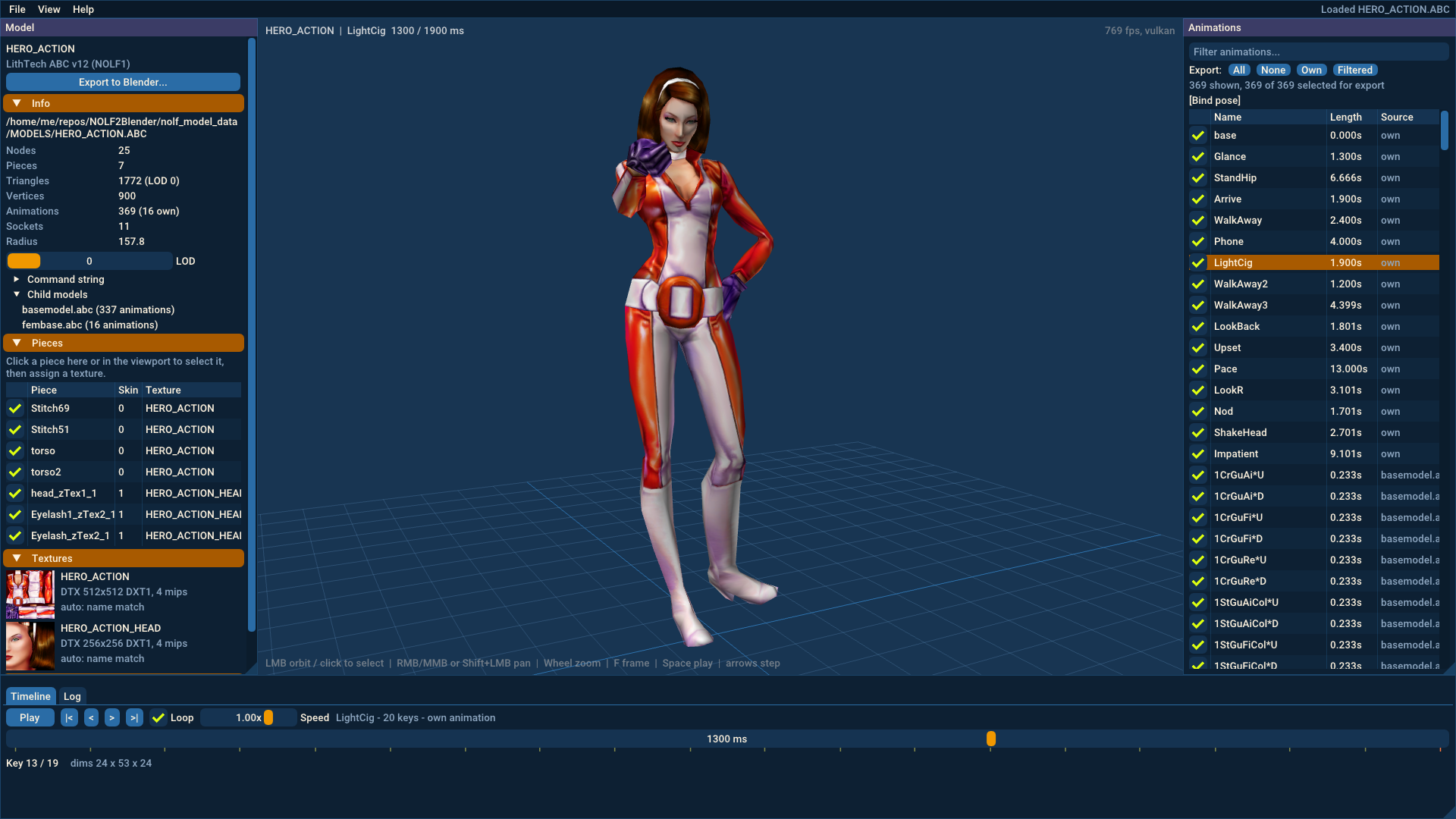
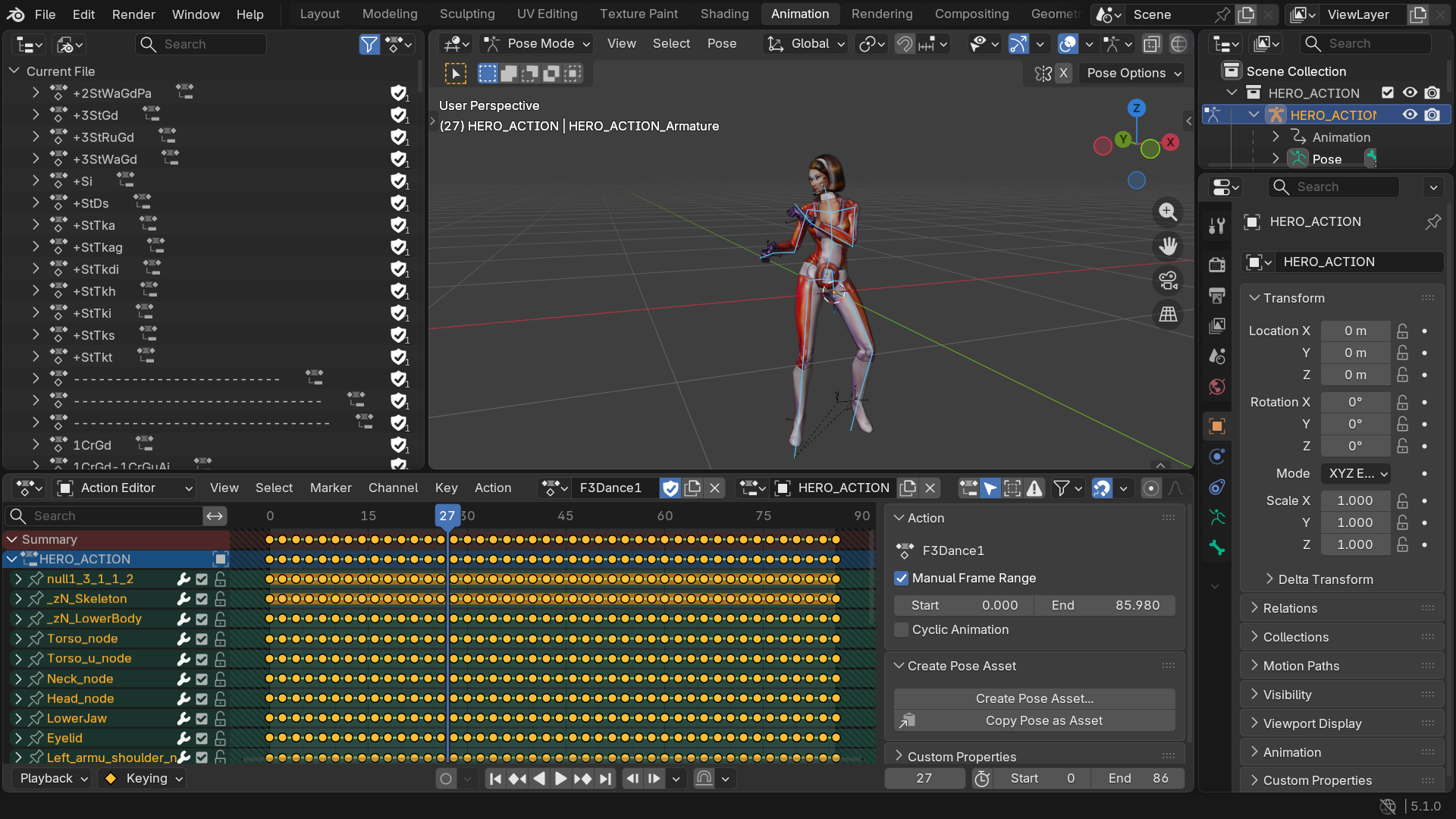
NOLF2Blender opens the character and prop models of No One Lives Forever and No One Lives Forever 2, shows them with their textures and animations, and exports them to Blender .blend files: skeleton, skinned meshes, textures and every animation as a Blender action.
Open a model, pick an animation, press Export. Blender opens the result with an armature that moves exactly like the character does in the game.
What it can do
- Open NOLF 1 and NOLF 2 models: LithTech
.abcfiles (NOLF 1) and.ltbfiles (NOLF 2), plus.dtxtextures (32 bit, DXT1, DXT3, DXT5). - Find textures automatically: from the game's
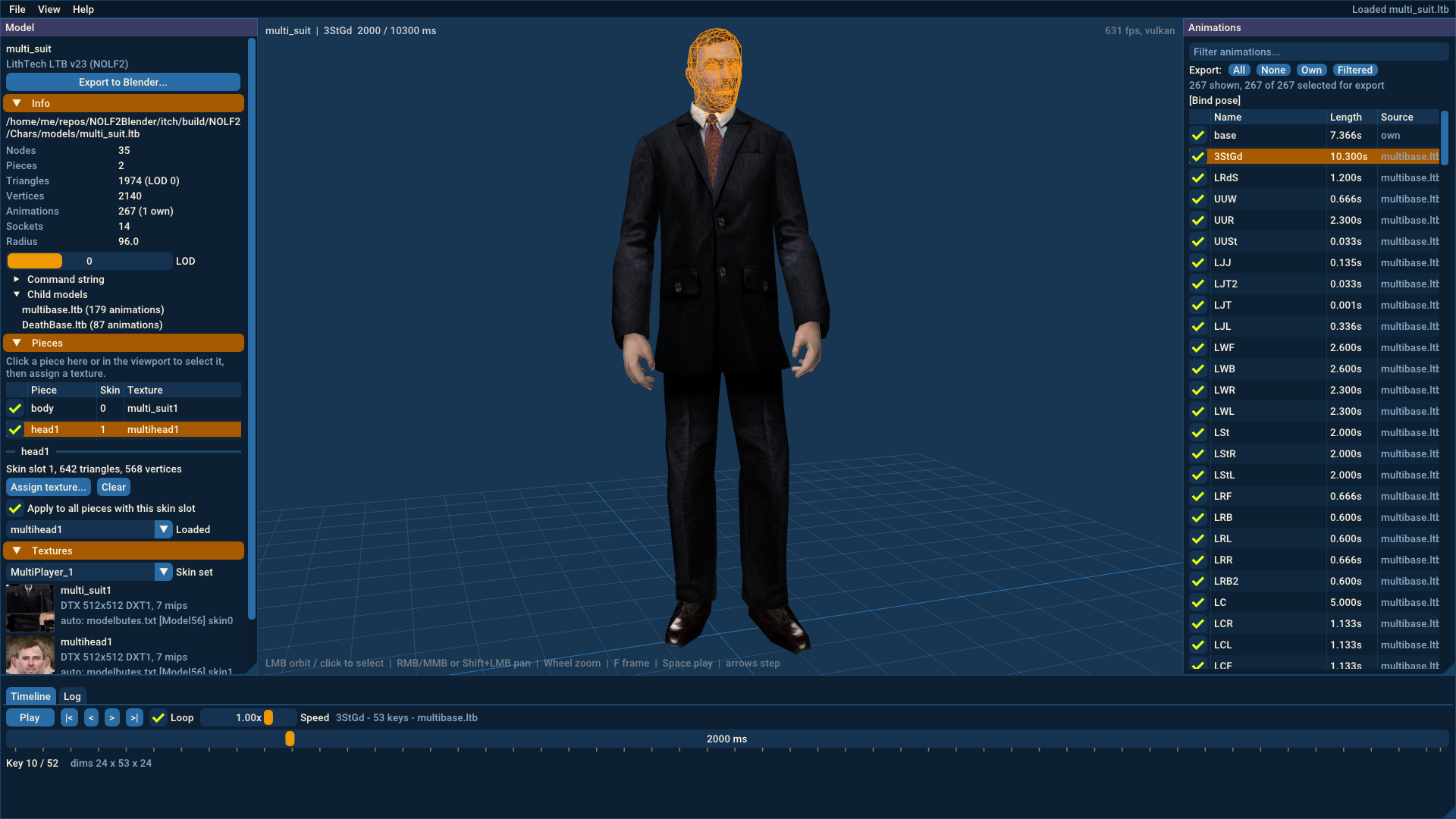
modelbutes.txtwhen you open a model inside an extracted game folder, otherwise by file name. When several characters share one model (common in NOLF 2), you pick the skin set from a list. - Assign textures by hand: click a piece of the model and give it a
.dtx,.tga,.png,.jpgor.bmpfile. - Play animations: searchable list of all animations, play, pause, scrub and step through keyframes, change the playback speed. Shared animation files such as
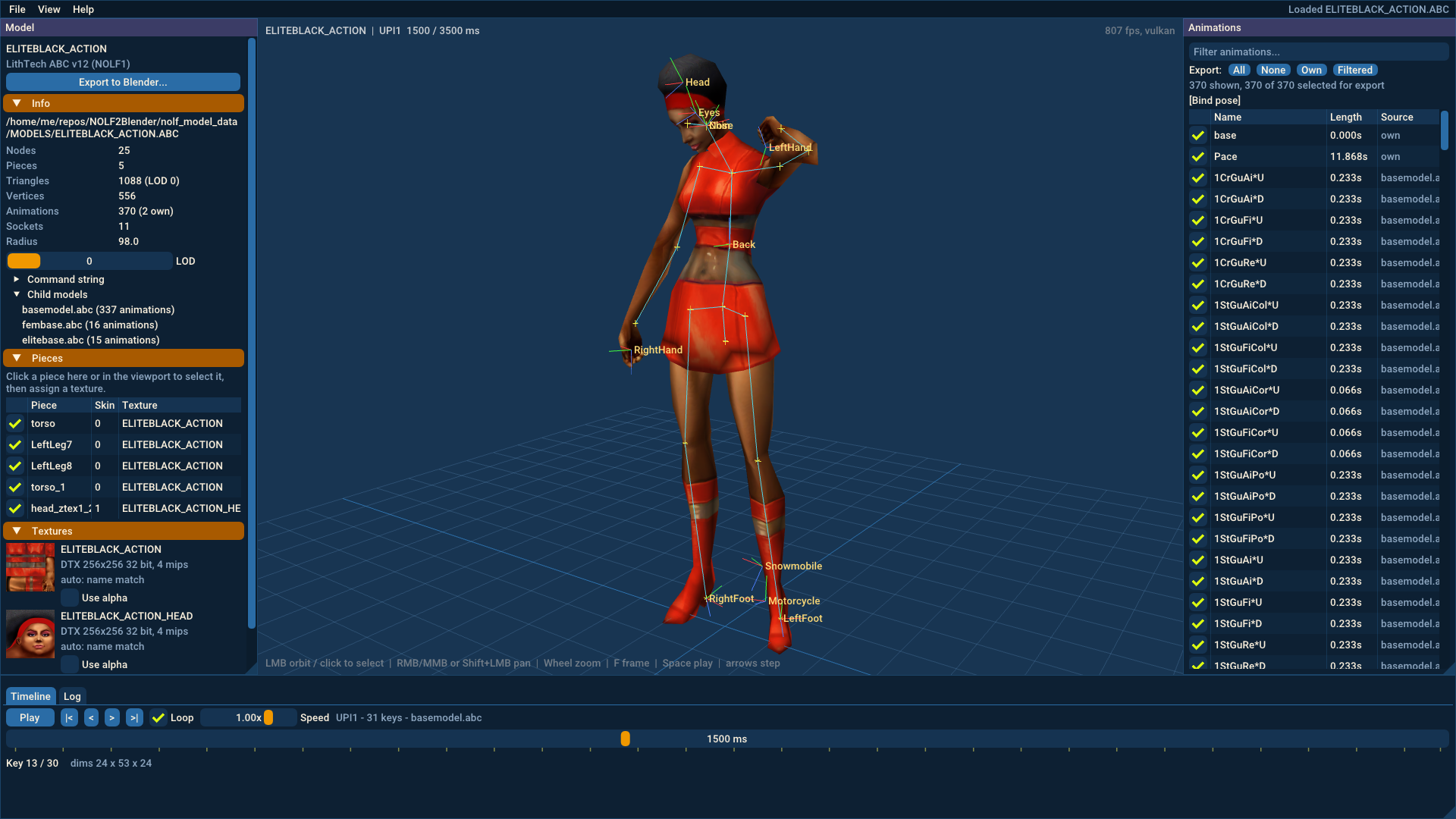
basemodel.abcormultibase.ltbare loaded automatically, the same way the game does it. - Inspect the model: skeleton, attachment points (sockets) and wireframe overlays, level of detail selection, and pieces you can hide.
- Export to Blender:
- an armature with the model's skeleton
- one skinned mesh per model piece
- materials with the textures saved as
.tganext to the.blend, or packed into it - all animations you selected, as actions, with the game's animation events as pose markers
- attachment points as empties parented to their bones
- Accurate: the test suite has Blender deform exported models at sample frames of their animations and compares every vertex with the game engine's own skinning math. They match to within rounding error.
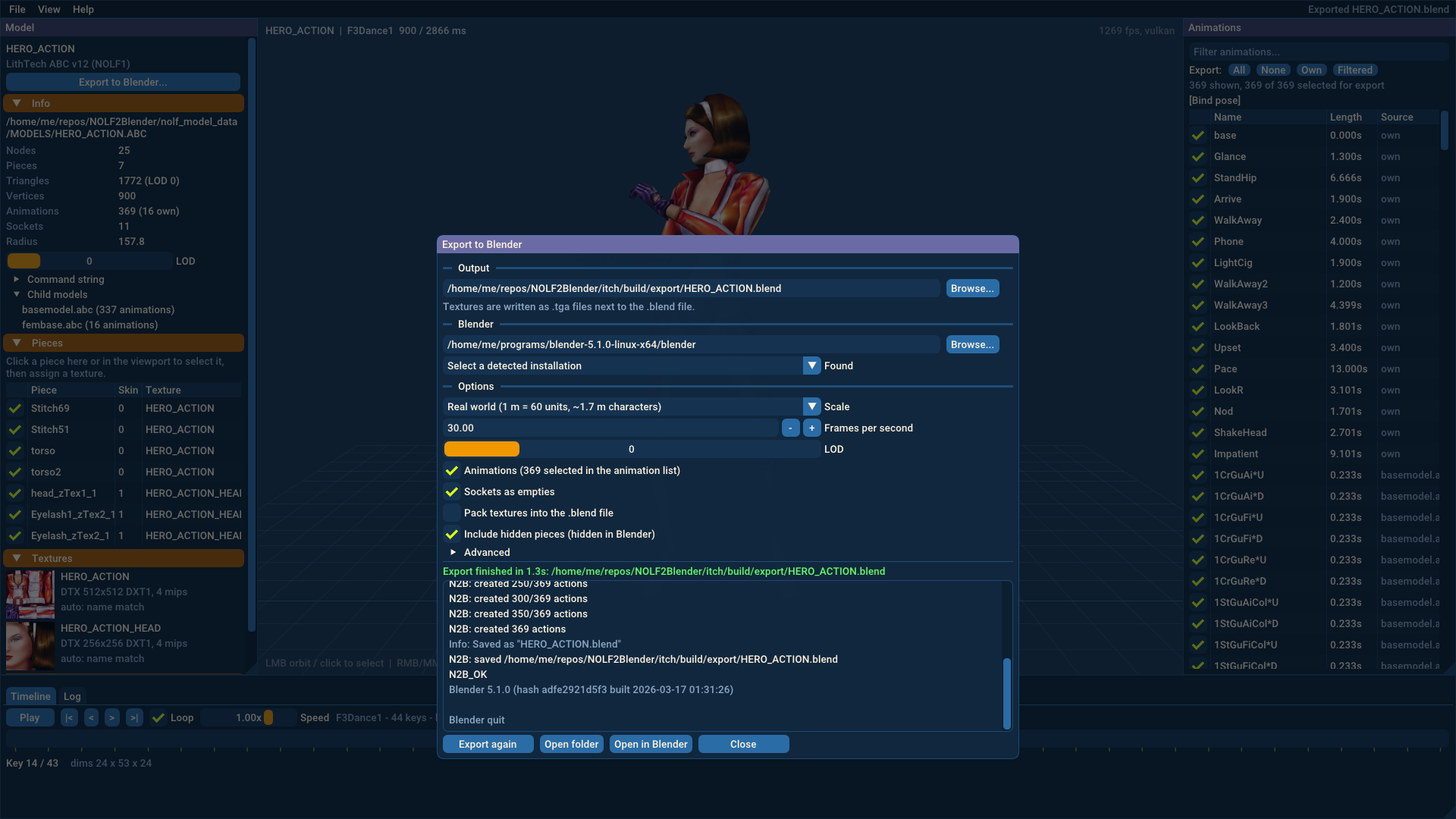
- Export options: real-world scale (characters about 1.7 m tall) or the game's units, frame rate, level of detail, which animations to include, and an option to bake every frame.
- Batch conversion from the command line, for example a whole folder of models at once.
What it cannot do (yet)
- Read the game's
.rezarchives directly. Extract them first with a REZ tool. - Bring models back into the game. Export only goes from NOLF to Blender.
- Load levels (world geometry). Only models are supported.
- Recreate NOLF 2 render styles (glass, chrome and other shader effects). Materials use the base texture.
- Export the vertex animation of the few NOLF 2 pieces that use it. Those pieces are exported in their rest pose.
- Add extra animation files to a model by hand. Only the animation files the model itself references are loaded.
- Use texture transparency automatically. NOLF often stores other data in the alpha channel, so transparency is switched on per texture.
- Open models from other LithTech games. They may work if they use the same file versions, but they are untested.
Requirements
- Your own copy of No One Lives Forever or No One Lives Forever 2, with the
.rezarchives extracted. Keep the folder structure so the textures can be found. The required tool to unpack data from the .REZ files shipped with the Game Of The Year edition of NOLF2. - Blender 4.2 or newer (Blender 5 recommended) to export
.blendfiles. NOLF2Blender finds installed versions automatically and runs Blender in the background to build the file. - A graphics card with Vulkan, Direct3D 12 or Metal support.
How to use
- Open a model with File > Open model, or drag an
.abcor.ltbfile onto the window. - Check the textures in the Model panel. If a piece has none, click it and choose Assign texture.
- Click animations on the right to play them. The checkboxes choose which ones are exported.
- Click Export to Blender, choose where to save the
.blendfile and click Export.
NOLF2Blender is an unofficial tool. It contains no game data; you need your own copy of the games. No One Lives Forever and its assets belong to their respective owners. Built with SDL 3 and Dear ImGui.
Purchase
In order to download this tool you must purchase it at or above the minimum price of $5.99 USD. You will get access to the following files:
Comments
Log in with itch.io to leave a comment.
I'm very confused as to why you're charging 10 dollars for a Blender plugin that only imports when there's already plugins that exist for this purpose. Especially when it doesn't export back into the game, meaning it's not useful for modding. It greatly limits the purpose of this tool.
We've been able to convert .abc files for almost a decade now with io_scene_lithtech and there are forks that export perfectly back into the game now.
https://github.com/haekb/io_scene_lithtech
I had very little success importing ABC/LTB files into Blender 4.2 or even Blender 5. This also is not really a Blender "plugin", strictly speaking. It is its own application that can write blend files.
Creating this took a considerable amount of time, so I decided to charge a bit for it. If you are happy with the tools that are available for free, then this is great and no need to buy this program :)